Animate a finished character
One character, two baked clips and a timeline. Read what the file carries, start the body on cue, keep a camera on a character who walks, and check every claim by sampling the pose at a time and reading the numbers. It also says plainly where this scene stopped working.
facebind.json in tejaswigowda/test1, pinned to a commit (it opens without a token; it is a 21 MB scene with its geometry and textures beside it, so give it half a minute). Open the Shell tab and paste each block in order. Each Shell line is its own scope: a const on one line is gone on the next, so the blocks below repeat the selector instead of naming it.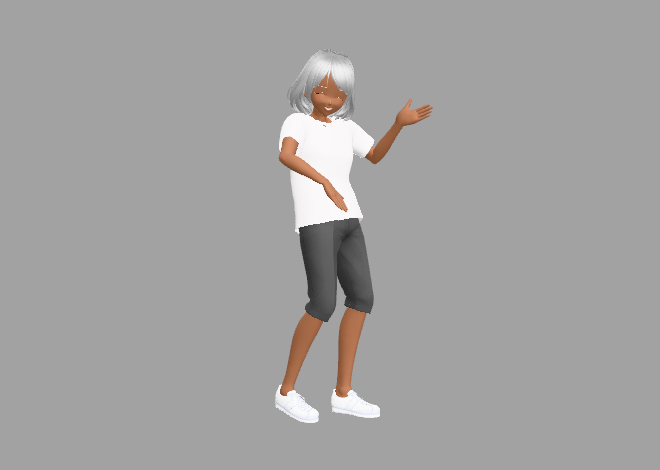
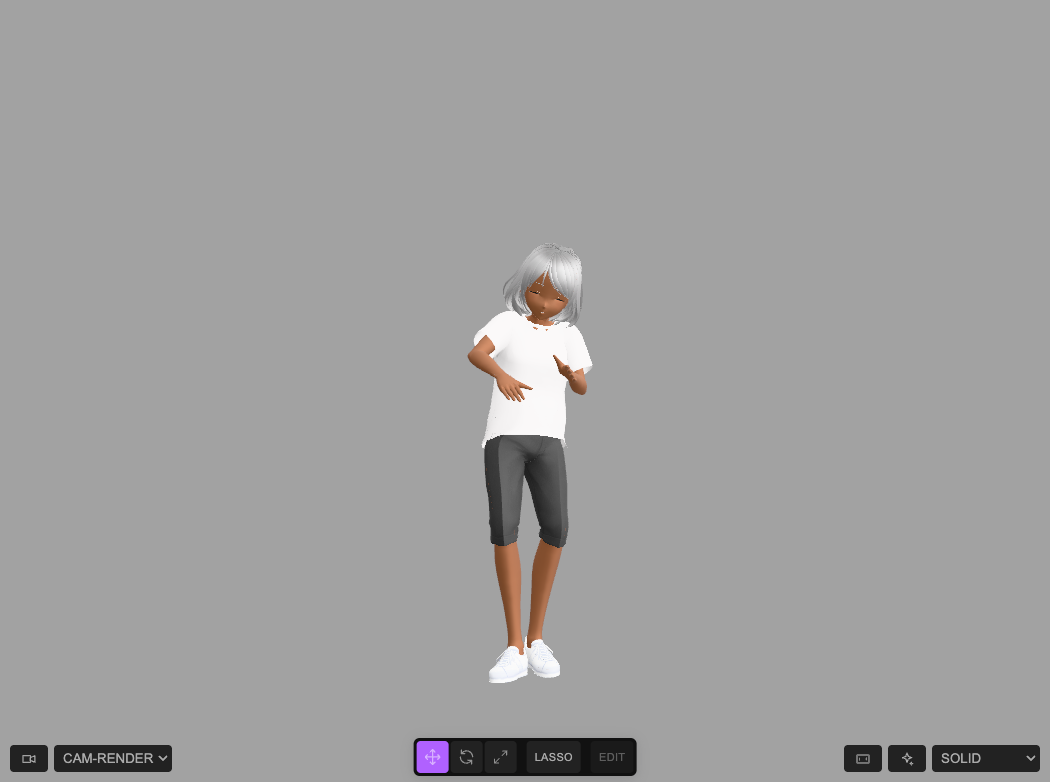
holdTimelineAt(6): the body clip is playing, and the character is in the middle of the frame.1 Give the character a name you can type
The importer names the character's group after the file and derives a class from it, .vroidv110femalev1132-tracksglb. Add a short class and use that from now on:
tagClass(scene.children[0], 'actor'); $S('.actor').count()1(End the line with the count: tagClass on its own returns the whole object, and the Shell prints all of it.)
2 Read what the file carries
The scene has 198 objects, 22,021 vertices and 32,914 triangles. Most of that is 73 skinned meshes (56 of them pieces of hair) sharing one skeleton of 118 bones, and three animations:
editor.scene.animations.map(a => a.name + ': ' + a.duration.toFixed(1) + ' s, ' + a.tracks.length + ' tracks')[
"Timeline: 35.1 s, 0 tracks",
"test: 33.1 s, 119 tracks",
"testface: 11.5 s, 9 tracks"
]| Animation | What it is |
|---|---|
| Timeline | The scene's own clock (35.1 s), with no tracks of its own: the timeline in step 3 drives the other two. |
| test | The body: 994 keys at 30 frames a second over 33.1 s, on 118 rotation tracks (one per bone) and one position track (the hips, J_Bip_C_Hips). The hips position is the character's root motion: she does not dance on the spot. |
| testface | The face: 346 keys over 11.5 s, as one morph-weight track on each of the nine face meshes. Each mesh has 124 morph targets, the VRoid expressions (Fcl_MTH_A, Fcl_EYE_Close, …) and the 52 ARKit names (jawOpen, mouthSmileLeft, eyeBlinkLeft, …). The clip moves 44 of the 124 by more than 0.05. |
The file is named …_2-tracks.glb: two tracks, the body and the face. They are baked data, and Strata does not edit their keys. What you author is control: which clip, when, how fast, and what lies over it.
3 The timeline is two events
The scene's clock, editor.timeline, holds one play event per clip:
JSON.stringify(editor.timeline.toJSON().tracks.map(t => [t.target, t.events.map(e => [e.at, e.op, +e.dur.toFixed(1)])]))[["#test",[[2,"play",33.1]]],["#testface",[[0,"play",11.5]]]]The body starts at 2 s and the face at 0. To see what that does, holdTimelineAt(t) jumps the whole scene to t seconds, and then the bones and the morph weights can be read like any other property. Run it at a few times and read the hips, one upper-arm bone and the total morph weight on the face:
holdTimelineAt(6); JSON.stringify([scene.getObjectByName('J_Bip_C_Hips').position, scene.getObjectByName('J_Bip_R_UpperArm').quaternion].map(v => v.toArray().map(x => +x.toFixed(3))))[[-0.766,0.82,-1.069],[-0.167,0.511,-0.363,0.761]]The same reading at eight times (measured on this scene; the face column is the sum of the absolute morph weights on the first face mesh, Facebaked_custom):
| t (s) | hips (x, y, z) | arm quaternion | face |
|---|---|---|---|
| 0 | −0.397, 0.848, −0.577 | 0.027, 0.149, −0.306, 0.940 | 9.573 |
| 1.9 | −0.397, 0.848, −0.577 | 0.027, 0.149, −0.306, 0.940 | 4.751 |
| 2 | −0.397, 0.848, −0.577 | 0.027, 0.149, −0.306, 0.940 | 9.358 |
| 6 | −0.766, 0.820, −1.069 | −0.167, 0.511, −0.363, 0.761 | 12.896 |
| 11.4 | −0.794, 0.795, −1.123 | −0.074, 0.627, −0.463, 0.622 | 4.483 |
| 11.6 | −0.827, 0.828, −1.128 | −0.083, 0.622, −0.488, 0.607 | 5.493 |
| 20 | −0.031, 0.824, 0.046 | −0.156, 0.600, −0.459, 0.636 | 5.493 |
| 35.1 | −1.316, 0.809, −0.023 | −0.162, 0.595, −0.496, 0.611 | 5.493 |
Two things in the table are the point of this page:
- The body holds its first pose for two seconds. The hips and the arm are identical at 0, 1.9 and 2, then move. Before a clip's first
playit holds its first frame, so a character that should be moving from the first frame of the render is standing still for 2 s. - The face stops at 11.5 s. The face column changes up to 11.4 s and is then 5.493 at 11.6, 20 and 35.1: the clip has ended and holds its last frame, while the body carries on for another 23.6 s with a frozen face.
4 Start the body at zero
The obvious fix is wrong, and it is worth seeing why:
$S('#test').at(0).play('test')This does not move the clip's event: it adds a second one. The timeline now has play events for test at 2 s and at 0 s, and the two fight. Sampling the arm shows it: at 1 s it moves, and at 2 s it is back at the first pose (0.027, 0.149, −0.306, 0.940), because the event at 2 s restarted the clip. Undo it (Undo, or undo()), then move the event that is already there, by its id:
editor.timeline.moveEvent(editor.timeline.tracks[0].events[0].id, 0)true(tracks[0] is the #test track here; the event is the purple block on that row of the Animations tab, which you can drag instead.) This edit is not on the Undo stack (checked: the undo count did not change, and Undo afterwards took back the tagClass of step 1 and left the event at 0), so reload the scene to get the original timing back. Sampling again, the arm is at its first pose at 0 s and has moved by 1 s and by 2 s, with no reset:
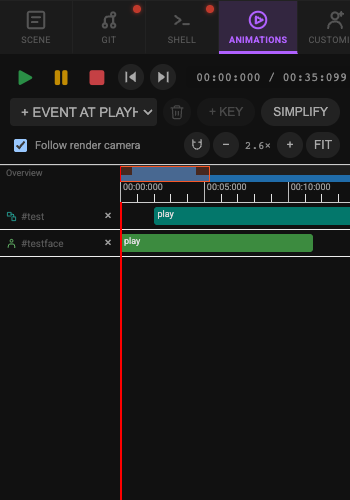
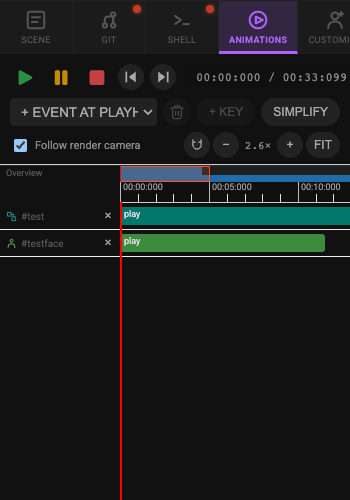
moveEvent(…, 0): both clips start at 0 and the readout is 00:33.099.The panel does not redraw by itself. A screenshot taken right after moveEvent still showed the block at 2 s and the old duration; zooming or pressing Fit redrew it. The move had happened (the arm samples in the table above are from after it), so redraw before you trust what you see. The duration is not a separate step: it fell from 35.099 s to 33.099 s because the timeline's length follows its last event.
| t (s) | arm quaternion, body event at 0 |
|---|---|
| 0 | 0.027, 0.149, −0.306, 0.940 |
| 1 | −0.258, 0.428, −0.421, 0.757 |
| 2 | −0.141, 0.605, −0.533, 0.575 |
.play() takes the other controls too, and each adds its own event: { speed: 0.5 } makes the event 66.2 s long (the clip at half speed), and { loop: true } keeps the 33.1 s. Use them on a clip you have removed or not yet placed, not on top of the one already there.
5 The face: what the clip leaves, and a warning
Step 3 showed the face clip ending at 11.5 s and the body carrying on. Everything the clip drives is frozen at its last value from then on, including the eyelids: sampled at 11.6, 20 and 35.1 s the face is identical (5.493), so for the last 23.6 s of the take she does not blink. The way to fix it in Strata is an authored face (Authoring a face): keys that name the shapes you want, which win over the clip's frozen value for those shapes only, plus a seeded idle layer for the blink. In the one run of this scene where such a key finished, a smile key at 14 s (face.keyAt(14, { shapes: { mouthSmileLeft: 0.8, mouthSmileRight: 0.8 }, duration: 600, easing: 'ease-out' })) read back like this:
| t (s) | mouthSmileLeft | eyeBlinkLeft |
|---|---|---|
| 10 | 0.509 | 0.688 |
| 13.9 | 0.764 | 0.431 |
| 14.7 | 0.800 | 0.431 |
| 20 | 0.800 | 0.431 |
The key took the smile from the clip's last value to 0.8; eyeBlinkLeft, which the key did not name, stayed at the clip's last value, 0.431, to the end of the take.
face.keyAt twice on the long class and once on a short class, face.idle({ seed: 7 }) twice), four froze the tab until the browser killed its renderer, and only the smile above finished. Camera and clip edits (steps 4 and 6) did not do this. The cause is not known; it may be specific to a character whose face morphs are driven by a baked clip. If you try it, save first and expect to lose the tab.6 Keep her in frame
The scene's camera, cam-render, sits at (−1.97, 0.80, 2.51) and has no keys of its own, but the hips travel about 1.3 m in x and 1.2 m in z in the sampled frames in step 3, so a camera that never turns lets her drift to the edge of the frame (the first screenshot below). A camera key arrives at a time with an aim point (lookAt). The first key of a camera needs a position (keyAt: the first key of a camera needs a pos is the error otherwise); later keys that name only lookAt turn the camera without moving it. Rather than type aim points, sample the hips with holdTimelineAt every 2.5 s and aim at them, at about chest height:
for (let t = 0; t <= 35; t += 2.5) { holdTimelineAt(t); const p = scene.getObjectByName('J_Bip_C_Hips').getWorldPosition(new THREE.Vector3()); const aim = [+p.x.toFixed(2), 1.0, +p.z.toFixed(2)]; $S('#cam-render').keyAt(t, t === 0 ? { pos: [-1.97, 0.8, 2.51], lookAt: aim } : { lookAt: aim }) }… a promise: its result is shown when it settles
✨ Scene updated — 15 commands executedFifteen keys (the first lands at 0.001 s), one undo step each, and the camera never leaves its position. Check the aim the same way as the body: sample the scene, and measure the angle between the camera's forward direction and the direction from the camera to the hips at chest height:
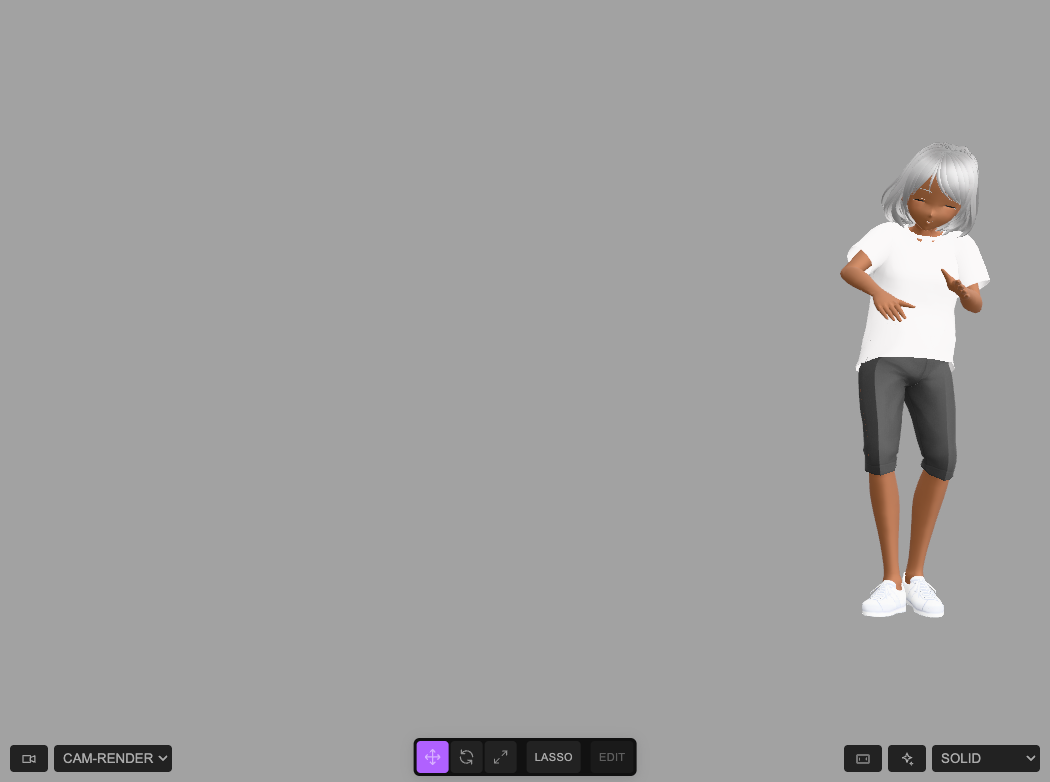
t (s)         0.5  1.25    2   3.75     6   8.75    13  16.25    20  26.25    28    33    35
off aim (°)   0.6   1.5  2.3   2.1   1.8   1.2   0.4   12.5     0    1.2   1.5   1.3     0
The camera is within 2.3° of her at twelve of the thirteen times, and 12.5° off at 16.25 s, between the keys at 15 and 17.5 s: the hips move faster there than a straight turn between two keys follows. Add a key ($S('#cam-render').keyAt(16.25, { lookAt: [x, 1.0, z] }) with the hips at that time) or sample every second in the loop. $S('#cam-render').keys() lists the keys and .smooth(true) plays them as one curve; Editing camera moves by hand has the one-click moves.
7 Render it
Open the Render tab. The scene's one shot (cam-render from 0 s) is in the Camera Sequence; pick the size and frame rate, and render. The length of the take is the timeline's duration, which the saved scene has as 35.1 s because the body starts at 2 s. After step 4 the readout in the Animations tab fell to 33.1 s (checked, once the panel was redrawn), so the take ends when the body clip does; look at it before you render.
moveEvent, the arm samples after it, and that it is not an undo step; the camera loop in step 6 and the thirteen aim measurements. The smile table in step 5 is from the single run that finished, with the long class .vroidv110femalev1132-tracksglb in place of a short one. The screenshots and the thumbnail are of this scene in headless Chrome with software rendering, taken by the blocks above in that order (one run, the editor at its default size), so the look of the shading is not what a graphics card gives. Not checked: dragging the event in the Animations tab instead of calling moveEvent; the Render tab in step 7 (no render was made); any face edit after the first (they hung the tab); and the "Open example" player for this page. Which of the three tools made which part of the file is as credited at the top; this page did not run those tools.Credits and licences
People
- Tejaswi Gowda (script, scene)
Assets
- facebind.json (the character scene): Tejaswi Gowda, test1 repository; the character was made with portrait.webcli.app, look.webcli.app and rig.webcli.app Licence: not stated.
Tools
- portrait.webcli.app (GPL-3.0)
- look.webcli.app (GPL-3.0)
- rig.webcli.app (GPL-3.0)
- bodyrig-webCLI (GPL-3.0)